Please do not edit or change this article without checking the changes with Wasima Rahman or Paul Newsom first.
Link copied to clipboard
Digital Red Book: Sending an Email From a Task
Follow these steps to send emails through tasks:
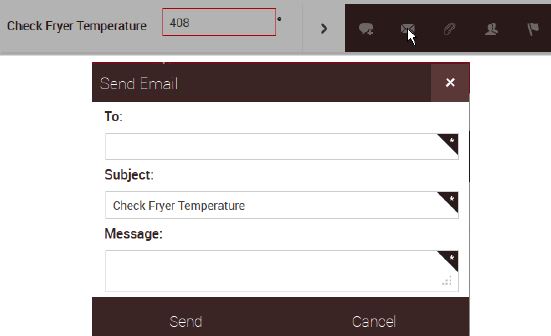
- Tap the Share icon in the fly out to send an email about a task.

- The subject will automatically fill in, but you can edit it if you like.
- Enter the recipient's email address and your message.
- Tap Send and your message will be emailed.

Comments
Please sign in to leave a comment.