
Hi Adaco team,
I have a few question that i need help with
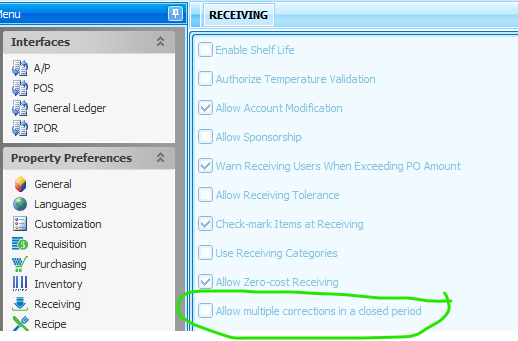
- I need to be able to make some changes in locations even after period inventory is closed in all location. In example, to change for GL code, adding credit invoice, fixing discrepancies/typo in the invoice number. In some cases, there is mistake in entering the quantity and receiving unit (not the price) that need to be fix even if the total received cost is the same, since it will impact the inventory cost. For that specific product.
Case example, I cannot add a credit adjustment invoice. It’s locked. Sometimes the credit does not come months after. Especially when the situation of an operational invoice, some repairs need to be pre-paid, and the service took more than 1 month to finished. When there are changes happen at the end of the service i.e., cost become lower, we need to enter a credit adjustment.
- Sometimes we need to change GL and sometimes we need to change the single outlet, is it possible to do it after PO was created or already been received?
- Is it possible for PO to show cost amount in both EURO and USD when there is an international invoice that need conversion when we printed the PO?
below is sample when po was created for 2 different currency

below is sample how PO will look when ready to be printed all is showing in Euro only

- Is it possible for us to have choice of the way entering the discount, in percentage or in $ value? Sometimes the discount comes as $ value not based on percentage, even if we tried to make the percentage
- Can we please have more letters amount cap for comment section when creating Purchase order and when creating new vendor/s, the vendor’s name section.
Thank you




Download Our App
Comments