
Overview
This article shows how to set up nutritional values and dietary information for a product to declare calories in a recipe.
Process
To set up and get a nutrition value for recipes (menu items) a nutrition number needs to be linked to each product which will pull the nutrition data set loaded in the application. To link the nutritional values for a product please follow the below step-by-step guide for each product (also see Figs 1-4).
A pop-up window will appear.
The pop-up window will close and the selected Nutrition Number will then be linked to the Product - the Nutrition Number field will be populated.
This article shows how to set up nutritional values and dietary information for a product to declare calories in a recipe.
Process
To set up and get a nutrition value for recipes (menu items) a nutrition number needs to be linked to each product which will pull the nutrition data set loaded in the application. To link the nutritional values for a product please follow the below step-by-step guide for each product (also see Figs 1-4).
- Go to Property > Products > select the required product and use the Details button
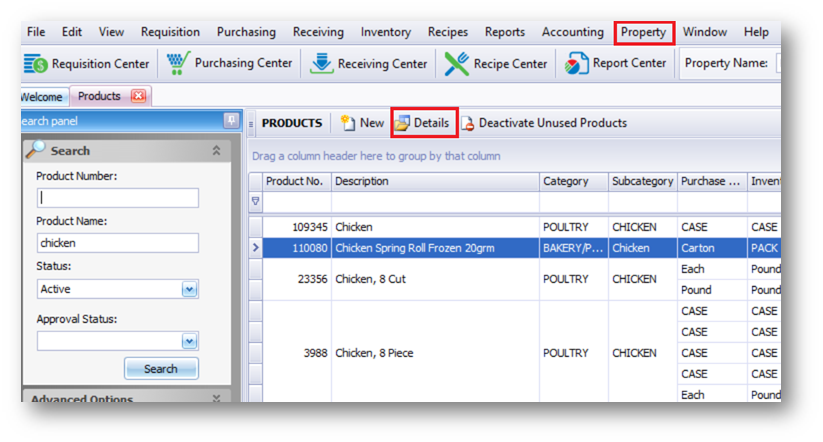
Fig.1 - Selecting a product
- Select the ellipsis button next to the 'Nutrition Number' field - see Fig.2
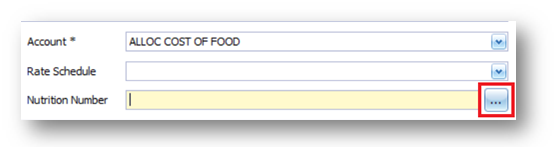
Fig.2 - Nutrition Number ellipsis button
A pop-up window will appear.
- Use the search bar at the top of the window and find the required Nutrition Description
- Select the Nutrition Description and then use the Update Product button
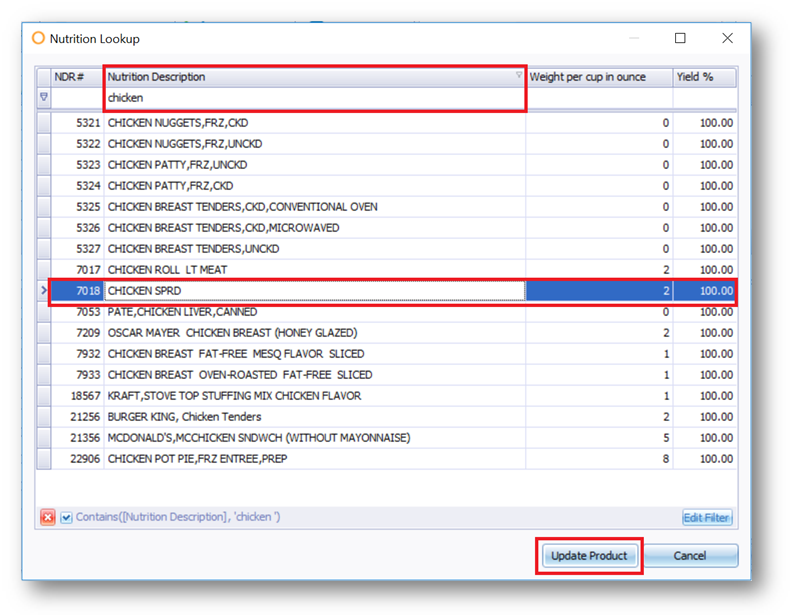
Fig.3 - Selecting Nutrition Description and updating product
The pop-up window will close and the selected Nutrition Number will then be linked to the Product - the Nutrition Number field will be populated.
- Select Save
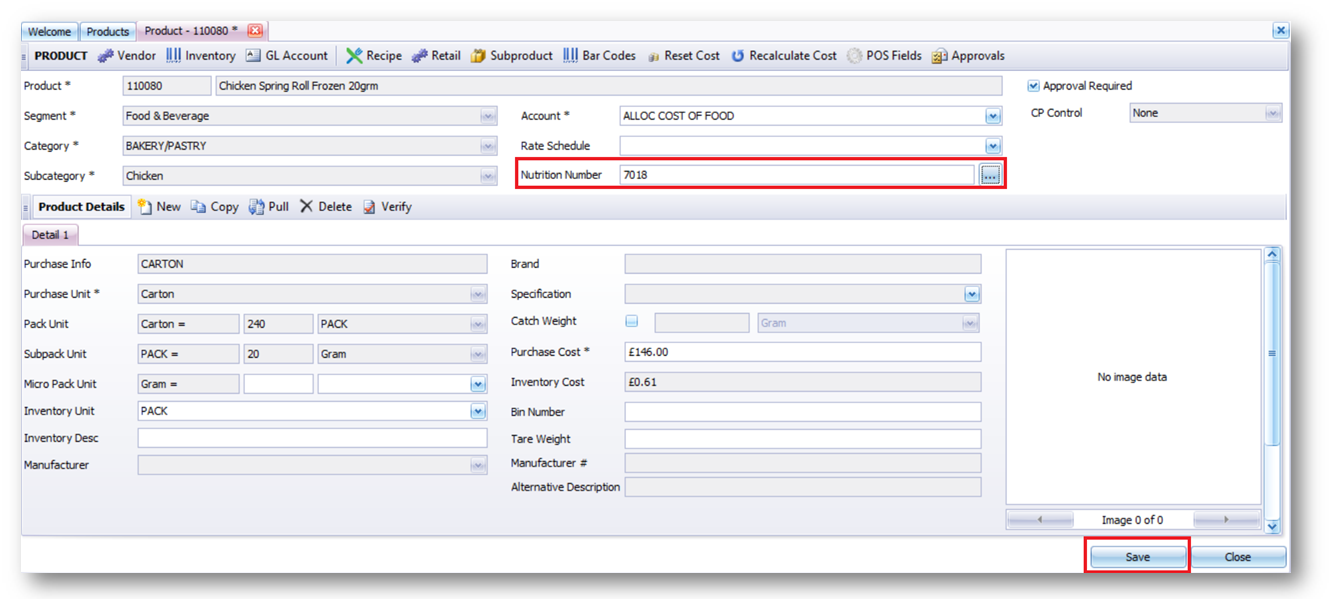
Fig.4 - Nutrition Number field updated, and Save button
-
Repeat this process for all other Products which require nutrition values
Please note: A nutritional database will likely be linked to every property at the time of implementation. If you do not have one linked please contact your trusted Fourth representative.
Comments
Please sign in to leave a comment.