
Product Template Report
The Product Template Report lists, by product number, the purchase and/or outlet templates the products are assigned to.- To run the Product Template Report go to Report Center>Requisition Reports>Product Template Report.
- To open the report criteria screen double-click Product Template Report or select the report and click Run Report, as per Fig.1.
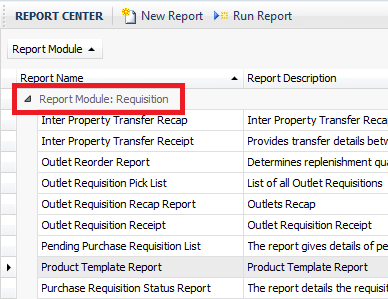
Fig.1 - Running the Product Template Report
Report Criteria
- Enter report criteria below to get desired results, as per Fig.2.
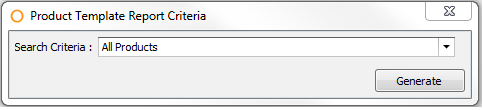
Fig.2 - Report Criteria for the Product Template Report
| Fields | Description |
|---|---|
| Search Criteria: |
|
Report Results
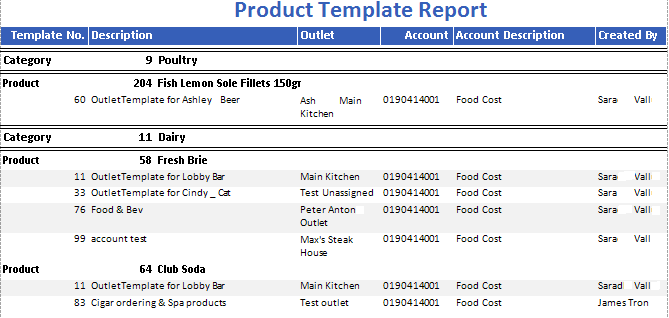
Fig.3 - Product Template Report results
| Fields | Description |
|---|---|
| Template No. | The template number. |
| Description | The template Description. |
| Outlet |
|
| Account | The Adaco Account number assigned to the product on the template.
|
| Account Description | The account name. |
| Created By | Displays the full name of the template creator. Property>User Center>Full Name. |
| Category | Displays the products category number and name assigned to the product. Property>Product. |
| Product | Displays the Adaco product number and description. Property>Products. |
Comments
Please sign in to leave a comment.