PeopleMatter: Assessments: How do I Disable Assessments?
A Company Administrator can navigate to their Company Settings → Features and Add Ons → Assessments
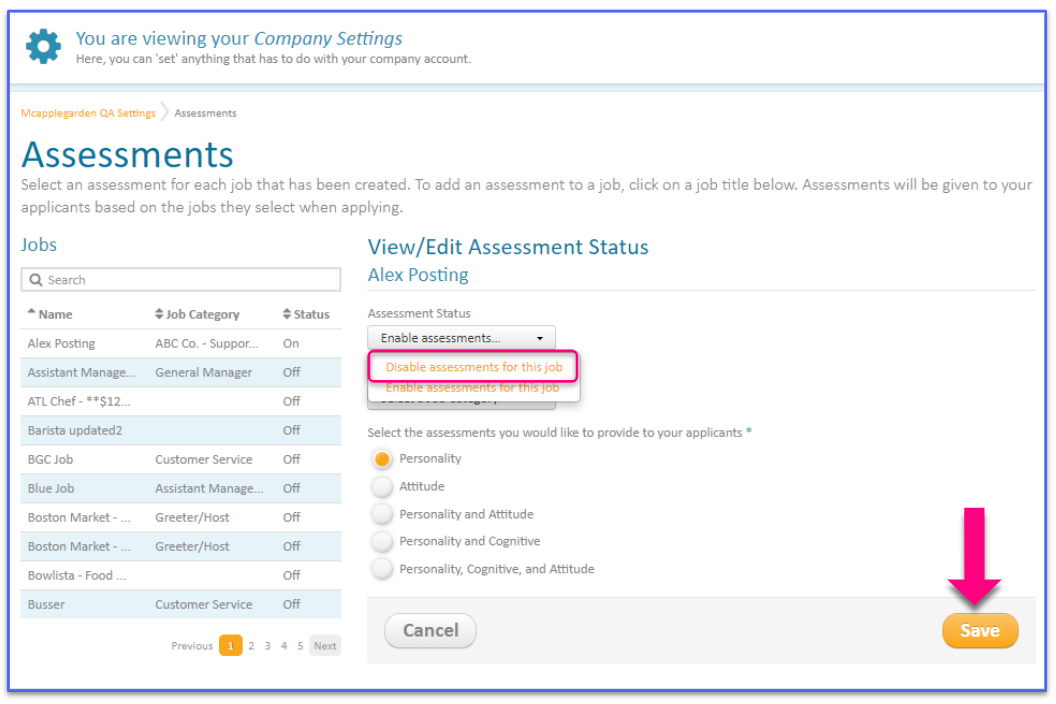
From the Jobs List, select the position you would like to disable the Assessment for, and then select the drop down for 'Assessment Status' → 'Disable Assessments for this Job'
Press Save
The Status will then update to 'Off' and Applicants should no longer be presented with the Hiring Assessment

Comments
Please sign in to leave a comment.