
The Communication Settings allow you to customize the automatic emails that can go out to applicants and new hires when you take certain actions on GoHire.
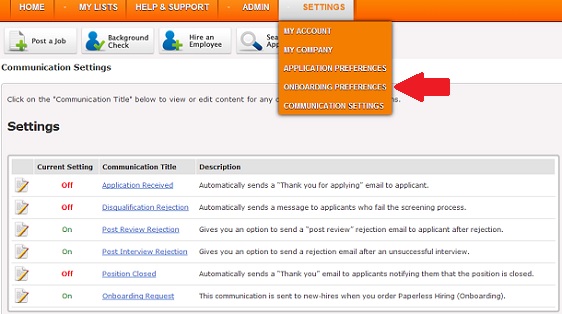
- Select the Settings tab from your GoHire account.
- Select Communication Settings from the menu.
- This page will show you all of the communication setting options availabile.
- The Current Setting column will tell you whether that option is turned on or off.
- The Communication Title and Description columns will explain when the automatic email would be sent.
- Select the Communication Title name to edit each setting. You can change the text of the email in addition to turning the option on or off.
Comments
Please sign in to leave a comment.