
Follow these steps to review applicants in GoHire:
To view applicants for a specific job:
- First, navigate to GoHire.
- Then hover over the My Lists tab
- Select My Job List (This page will display the owner of the jobs, the job title, status of job, location, date created, number of new applicants, and total applicants).
- Select the title of the job that you would like to see the applicants for.
- The next page will show you the Applicant List for that job.
- Note: it will default to All Active Applicants. You can adjust the filter to show All Applicants.
- From here you can review the application, screen scores, and resumes (if applicable)
To view all applicants for all jobs:
- First navigate to GoHire.
- Then hover over the My Lists tab.
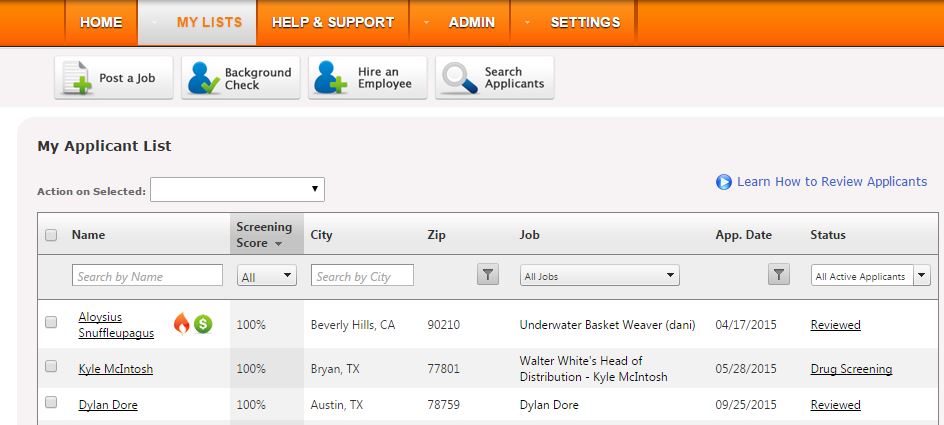
- Select My Applicant List.
- This page displays the applicants' names, screening scroes, location, job applied, application date, and status
- Note: it will default to All Active Applicants. You can adjust the filter to show All Applicants.
- From here you can review the applications, screen scores, and resumes (if applicable)
Simply select the names of applicants on the Applicant List to review their information.
Comments
Please sign in to leave a comment.