
Overview
A Joining and Termination Checklist can be recorded against an employee to ensure that all the steps in the Joining/Termination process are completed. This can also be reported on by using the Checklist Report.
Creating Joining/Termination Checklist Items
- From the HR Module select Administration and then Checklist Maintenance
- From the Type drop-down select Joining or Termination to view the relevant Checklist
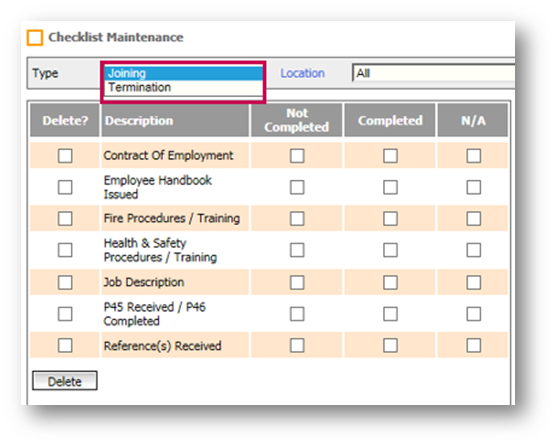
Fig.1 – Joining/Termination drop-down
- Select Create Checkpoint
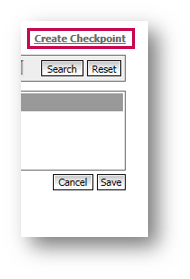
Fig.2 – Create Checkpoint
- From the Type drop-down, select Joining or Termination
- Enter a Description and Save
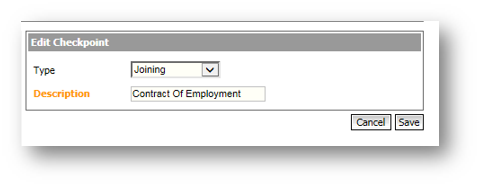
Fig.3 – Edit Checkpoint
- To remove the Checkpoint, select Delete?
Editing the Joining Checklist
- Go to HR > Employees > Employee List
- Select the Employee required for the checklist to be used against
- Select Joining Checklist from the Employee Info drop-down
- Populate the boxes in the Description and Notes section with the items to be used on the Checklist, e.g. Contract of Employment (see Fig.4)
- Use the check boxes under Not Completed, Completed and N/A to track completion
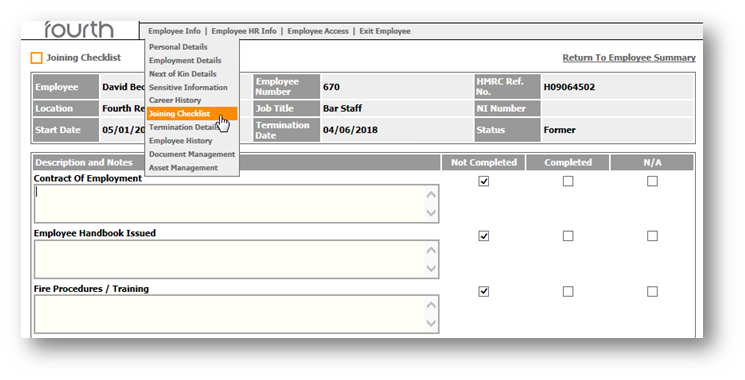
Fig.4 – Joining Checklist Details
Editing the Termination Checklist
- Go to HR > Employees > Employee List
- Select the Employee required for the checklist to be used against
- Select Termination Details in the Termination Details drop-down
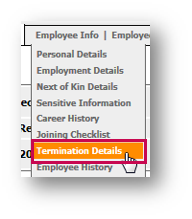
Fig.5 – Termination Details in the Employee Info drop-down
- When the employee has been terminated, select the Termination Checklist link, seen in Fig.6
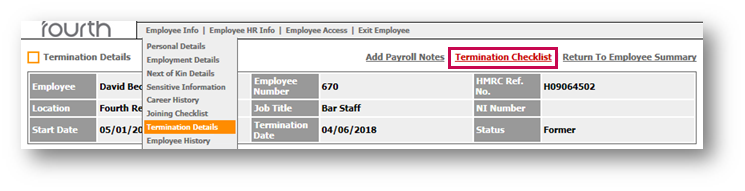
Fig.6 – Termination Checklist Link
- Populate the boxes in the Description section with the items to be used on the Checklist, e.g. Exit Interview, Locker Key Returned (see Fig.7)
- Use the check boxes under Not Completed, Completed and N/A to track completion
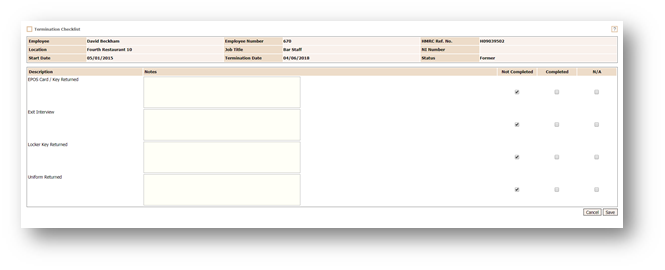
Fig.7 – Termination Checklist Items
For more articles on the Administration drop-down menu, please see - WFM - Getting Started WFM Administration
Comments
Please sign in to leave a comment.