
Overview
This article covers loading and unloading funds to/from employee Paycards.
For guidance on ordering Paycard stock, check out this article.
Please note: You will need access to the Paycard Management section of Fuego to be able to access this and be contracted for this feature. Please reach out to your account team if you have questions.
Loading Funds
To load new funds to an employee's Paycard, filter the employee list to locate your employee, under the Paycards section of the Paycard Management screen.
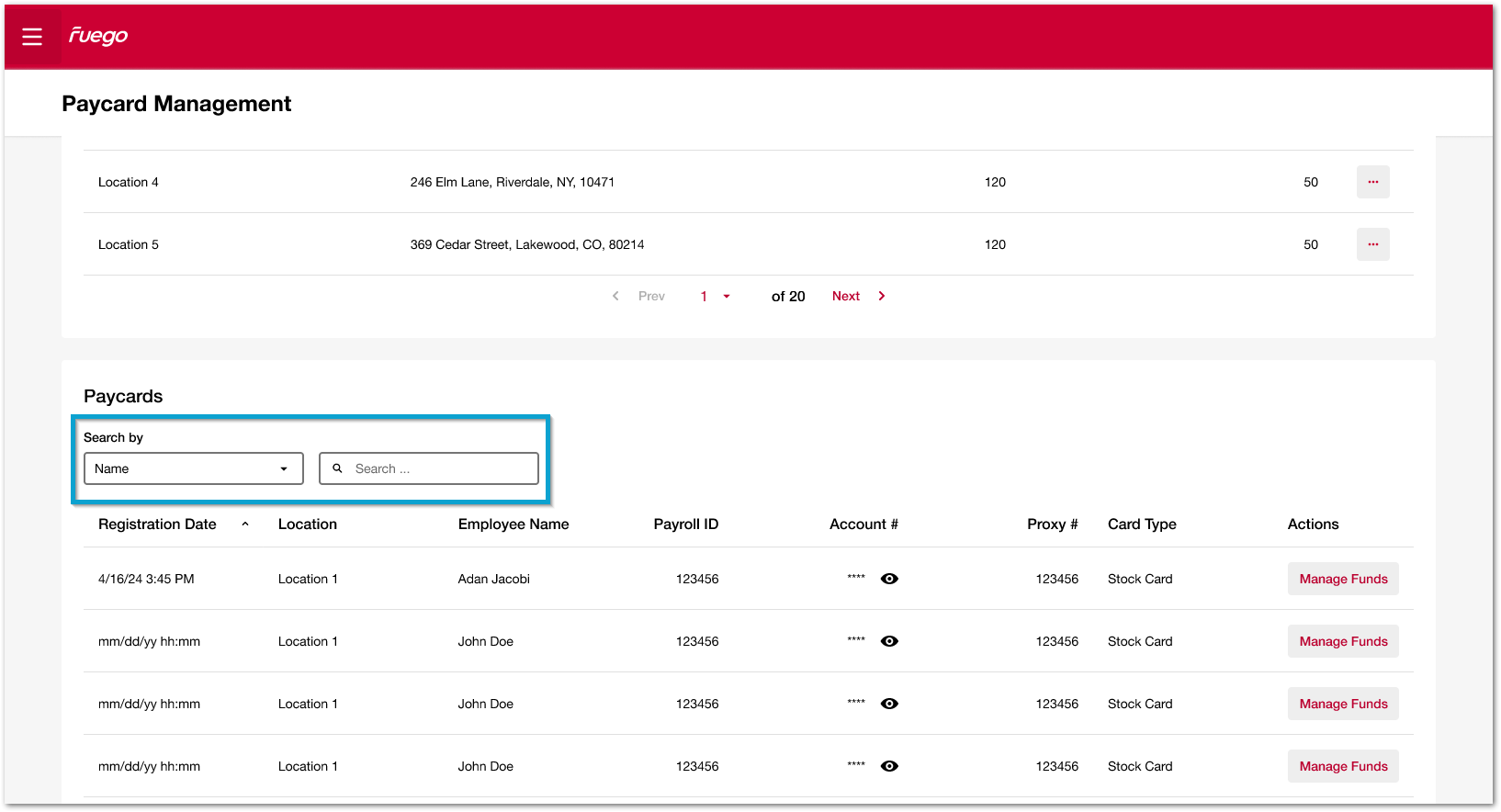 Fig.1 - Locating employee
Click the manage funds button next to the relevant employee.
Fig.2 - Manage funds
The next page displays the employee load history. Note that employee transactions made using the Paycard will not display here; only funds that have been loaded or unloaded, alongside the date, amount, description and any notes regarding the transaction.
Against the employee you will see options to either load or unload funds. To load funds to the employee's Paycard, select load funds.
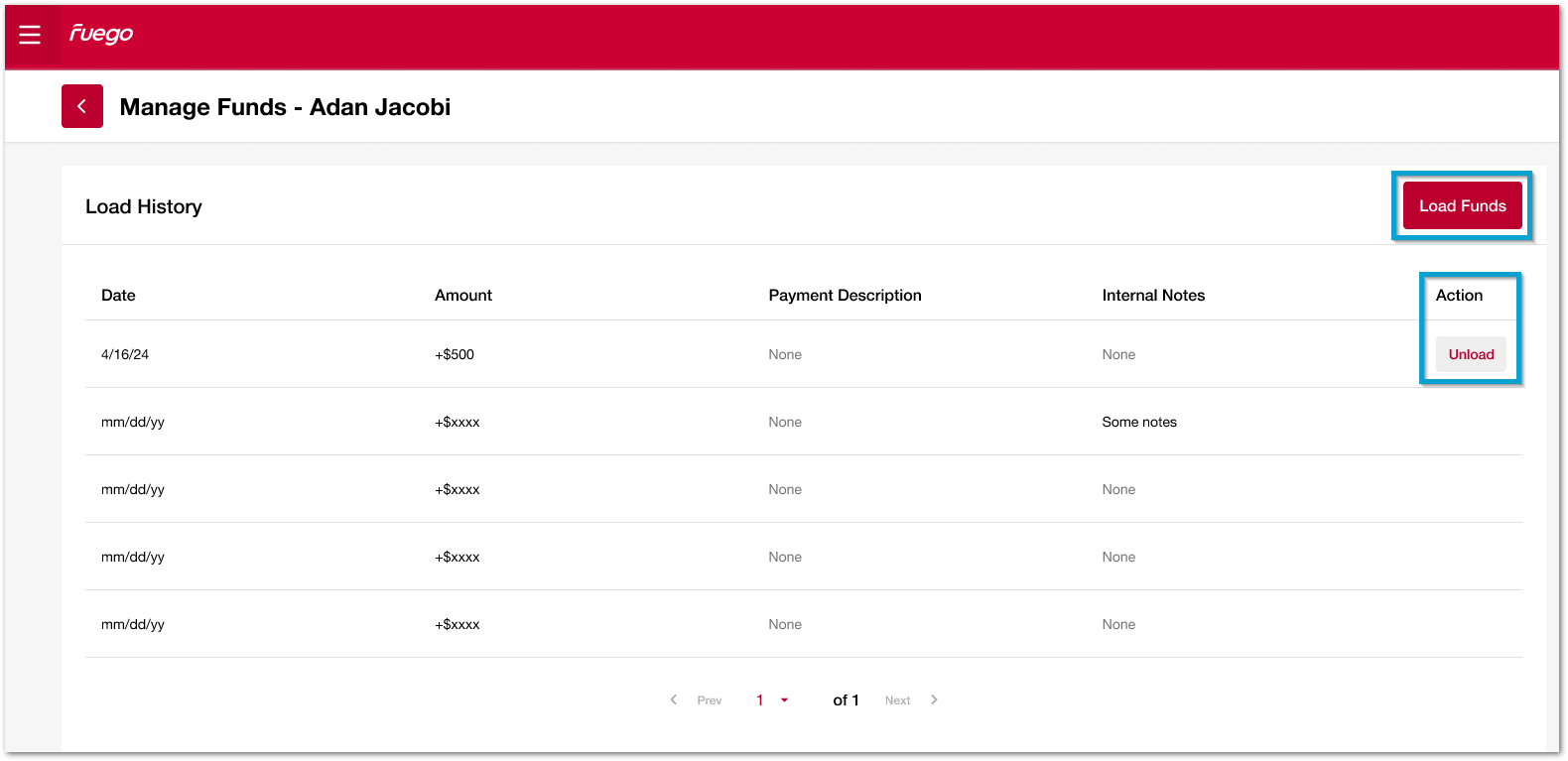 Fig.3 - Loading and unloading history
On the following screen, enter the amount of funds you wish to load. Payment description and internal notes are optional fields.
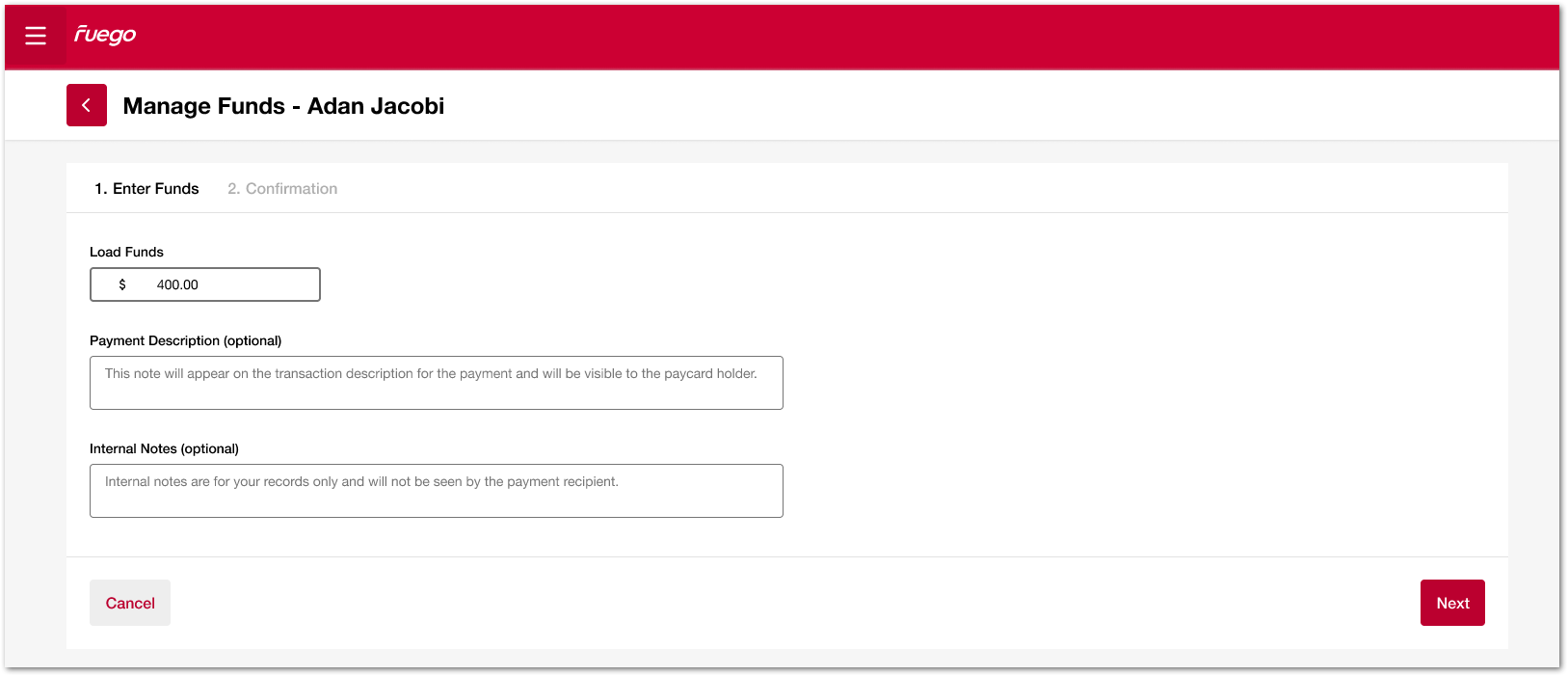 Fig.4 - Loading funds
Click next to progress to the confirmation screen. Check over the details and click confirm to load the funds to the employee Paycard.
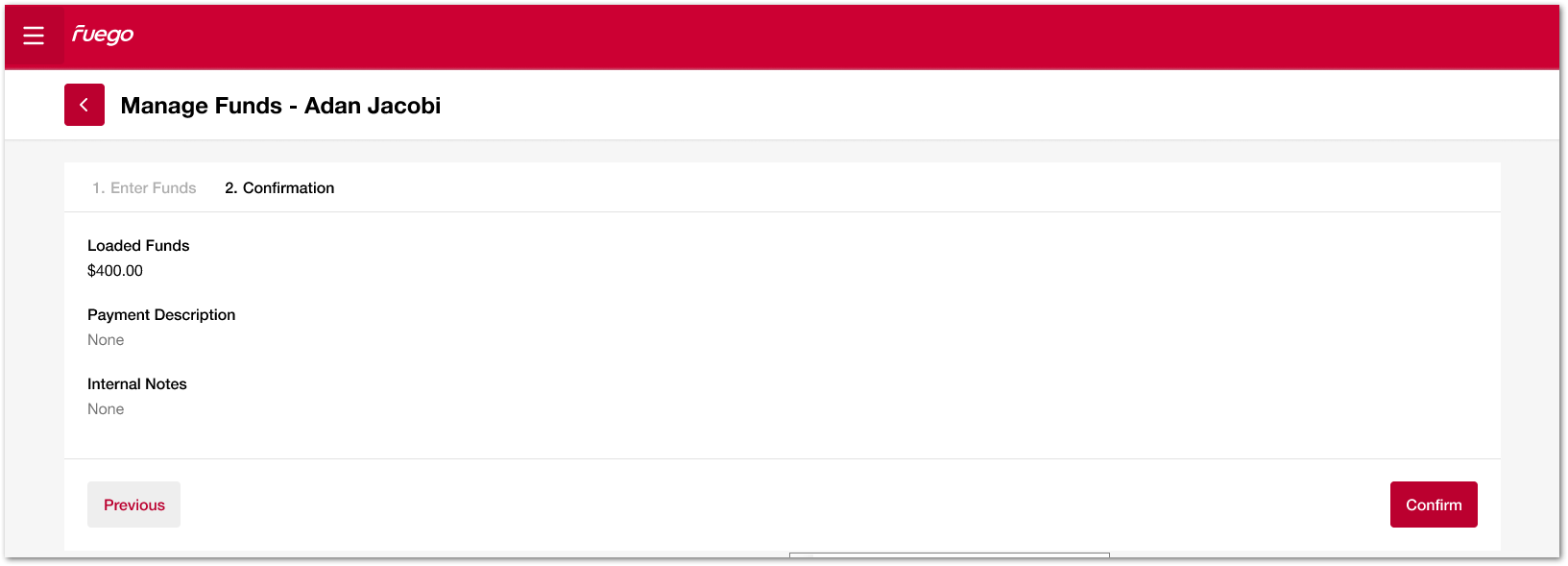 Fig.5 - Loading funds confirmation
Fuego will return to the employee fund management page and a green confirmation message will display at the top of the screen.
The funds loaded will also show in the transaction history.
Fig.6 - Loading funds confirmation
The employee fund management history, allows for unloading of funds. It is only possible to unload the most recent funds loaded.
Unloading Funds
You are only able to unload funds for the most recent funds that were loaded.
Click unload funds to begin the unload fund process.
A pop-up will display asking you to confirm unloading of funds. The full fund amount will be unloaded, it is not possible to unload partial funds of a fund load transaction.
Fig.7 - Paycard management
Click unload funds to complete the process.
Fuego will return to the employee fund management page and a green confirmation message will display.
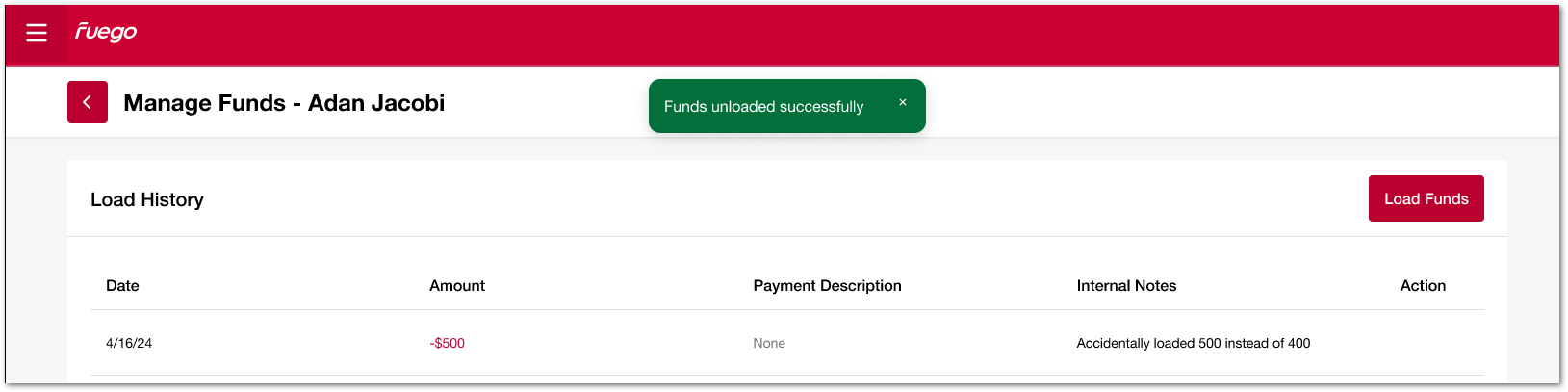 Fig.8 - Paycard management
The unloaded funds will immediately display as a transaction line under the load history.
The Fuego Paycard Visa® Prepaid Card is issued by Pathward®, N.A., Members FDIC pursuant to a license from Visa U.S.A. Inc.
Comments
Please sign in to leave a comment.