How do I make an item unavailable to order?

0 votes
Linked Ideas

Hi Steph,
thanks for the great question.
There are a couple different ways to do this, both of them in Recipe & Menu Engineering (formerly StarChef).
- Change the date that the item is available to order to a future date. Select the ingredient, then Edit > Internal Spec > select the date and choose a future date from the popup calendar:
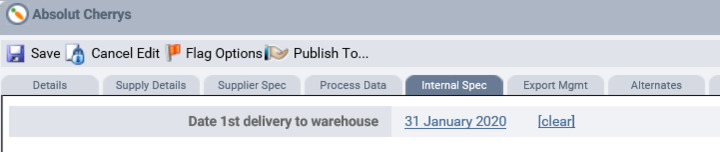
The ingredient will become available to order on the date that you choose. You can choose a date many years into the future.
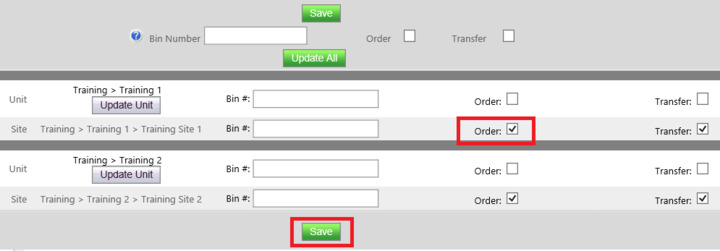
- Make the ingredient unavailable to order. Select the ingredient, then from the FnB Actions drop down menu select Update Bin# To Sites > Select all sites or specific sites from the popup > un-tick Order > Save
Hope that helps 🙂
Sim
Solutions Consultant
Please sign in to leave a comment.
Download Our App
Comments