forecasting in rotas, we encourage our locations do create four week rotas which is fine. However when they change the rota due to sickness etc the T & A clock is still blue, even if the change is made the day before how do we get round this
forecasting in rotas, we encourage our l ...

0 votes
Linked Ideas

Hi @christine kelly A Blue clock means that there is T & A data but the employee was not supposed to work.
This will not apply to Sickness unless the employee has been marked as Sick and still clocked in and out.
It usually occurs when the employee has a multiple employment and the system is not sure which job to assign it to to charge the correct divisions/location.
When the day is being completed, the user can select Job A or B from the drop down.
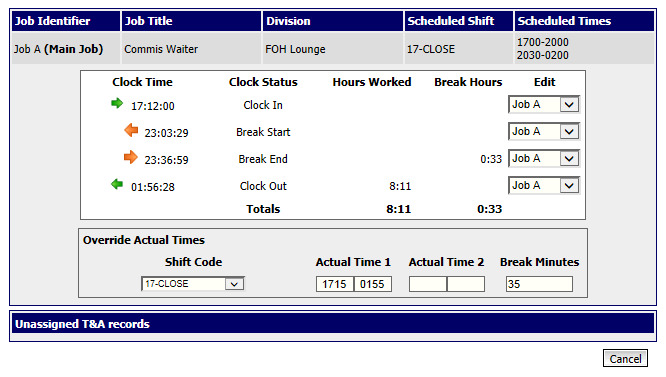
Remember the clocks are a tool to help you manage your employees and ensure they are paid correctly.
I hope this helps
Debbie
Please sign in to leave a comment.
Download Our App
Comments