Inventory: How do I change the layout of the Ordering Page?

0 votes
Linked Ideas

Hi there,
This is a very interesting question and something that not many people know you can change so thank you for bringing this up.
The area of the system where you can change this is called Organise Settings and is available from the cog icon in the top right hand corner of any screen that displays products - Ordering, Transfers, Inventory etc.
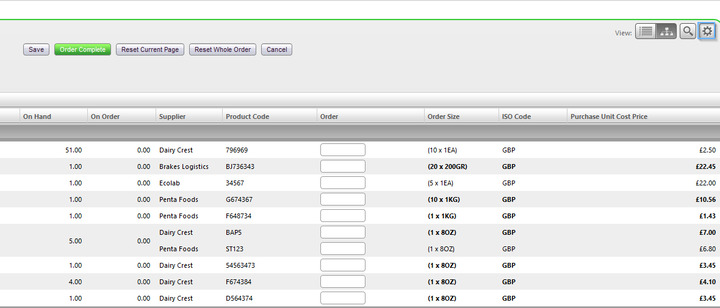
Once you select the cog icon you will have access to all the different options to change how products are displayed: activating columns, changing records per page and much more. This is personal to your user profile and will not effect any other users in your organisation.
I hope this helps.
Best,
Simon
Fourth
Please sign in to leave a comment.
Download Our App
Comments